
Order Types: Dine-In, Takeaway, Delivery and Pickup
Which order types to turn on in WebQRMenu, how to mark dishes for dine-in and takeaway, what the guest chooses, and how to sort orders by fulfillment method.
A QR menu isn't only for ordering at the table. From the same page a guest can take a coffee to go, order delivery or collect the order themselves. In WebQRMenu this is handled on three levels: the store, the dish and the order.
Store level: what you accept
Store → Stores → your store → Settings → Order types. There are four types: Dine in, Takeaway, Delivery and Pickup. Each has its own switch: whether you accept that kind of order or not.
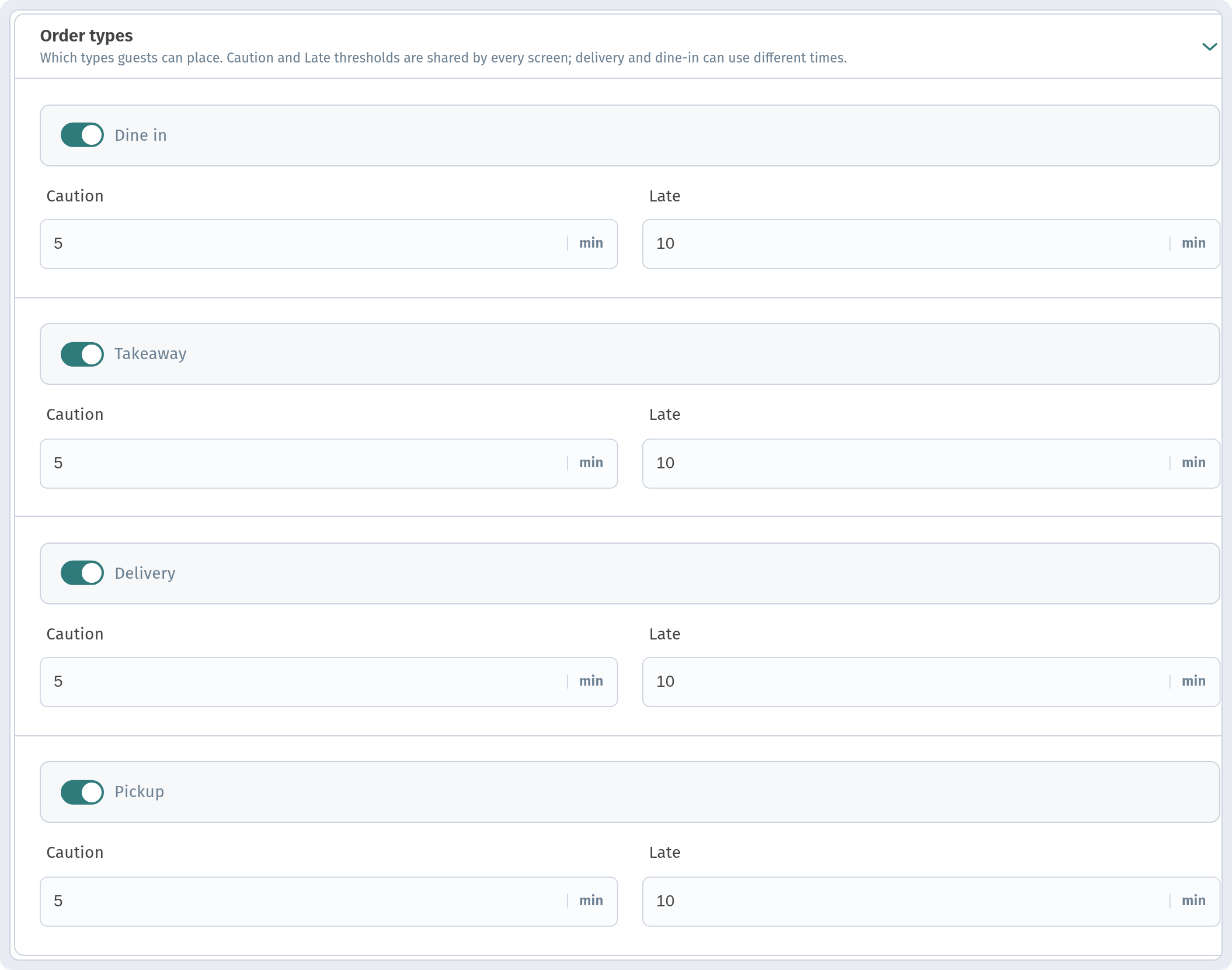
The advice is simple: turn on only what you can actually deliver today. No courier? Don't turn on delivery. No packaging? Think twice about Takeaway.
Each type also has time thresholds that highlight delays on the kitchen screens. They are covered in detail in The kitchen line, so we won't repeat them here.
Dish level: what can be taken away
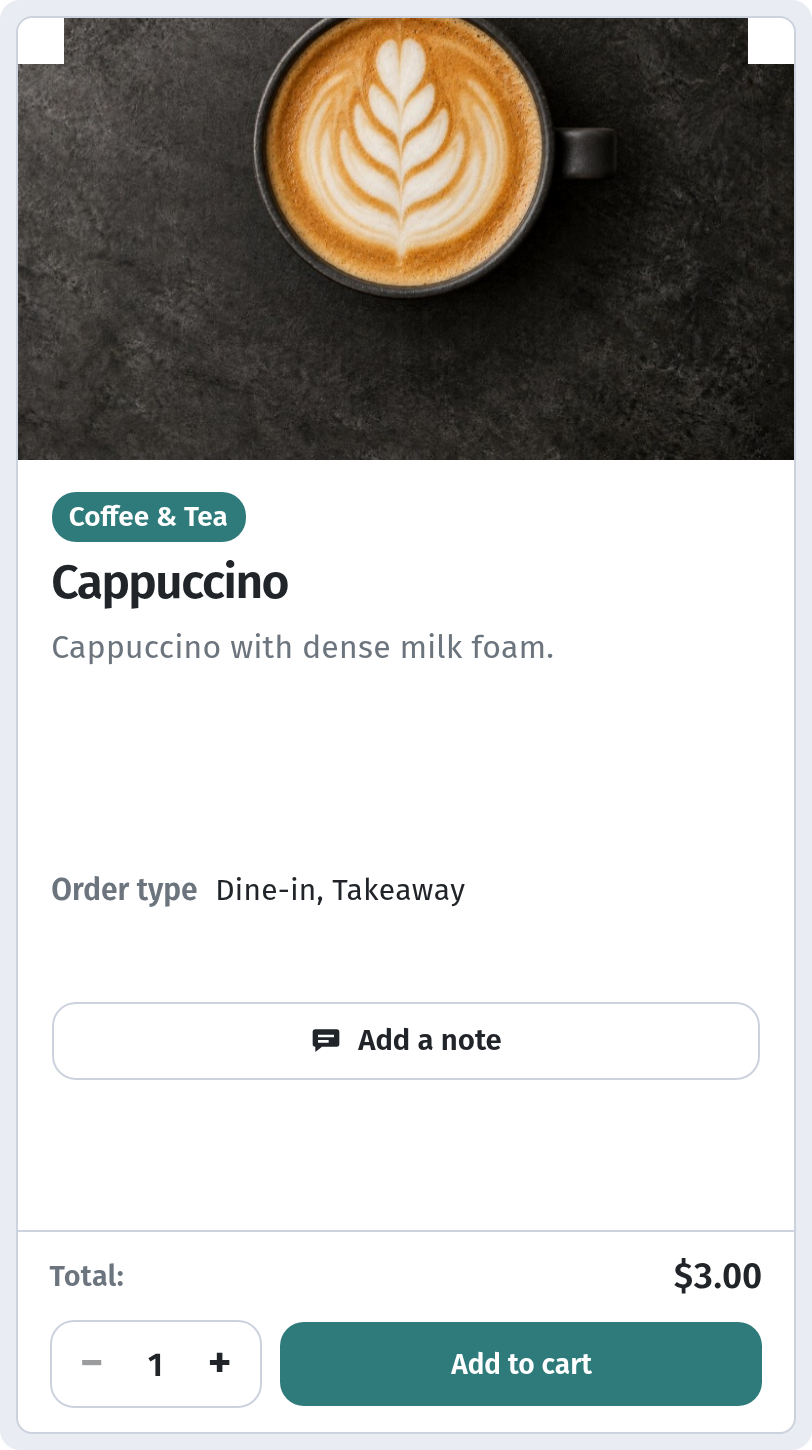
Not every dish survives the trip. In the dish card, in the Placement block, there is an Order type field with Dine-in and Takeaway, and you can choose both.
- Soufflé, flambé, anything served "on fire": Dine-in only.
- Coffee, pastries, salads in boxes: both.
Order level: what the guest chooses
When placing the order, the guest chooses how to receive it, for example delivery to an address or collecting it themselves. Which options they see depends on the order types turned on in the store settings. The guest's path through the cart is described in detail in The guest cart and ordering.
Sort orders by fulfillment method
The Orders page has a filter by fulfillment method, set to All methods by default, so you can show only one type of order. Handy when one person packs the bags and another looks after the room.

In short
- Turn on only the types you really serve.
- Mark which dishes can be taken away.
- Before launch, place one test order of each type.