
Short Link and Indexing: How to Make Your Menu Findable in Search
How to set up your menu's short link in WebQRMenu, when to change the URI, and what allowing search engine indexing gives you.
A QR code leads to your menu's address. That address decides how easy it is to read out over the phone, write in an Instagram bio and find on Google. In WebQRMenu two sections of the store settings handle this: Short link and Search engine indexing.
Short link
Store → Stores → your store → Settings → Short link. The link has two parts:
- Domain: webqrmenu.io or your own, which you can connect with Add domain.
- URI: the short code at the end of the link. By default it is generated automatically, up to 24 characters long.
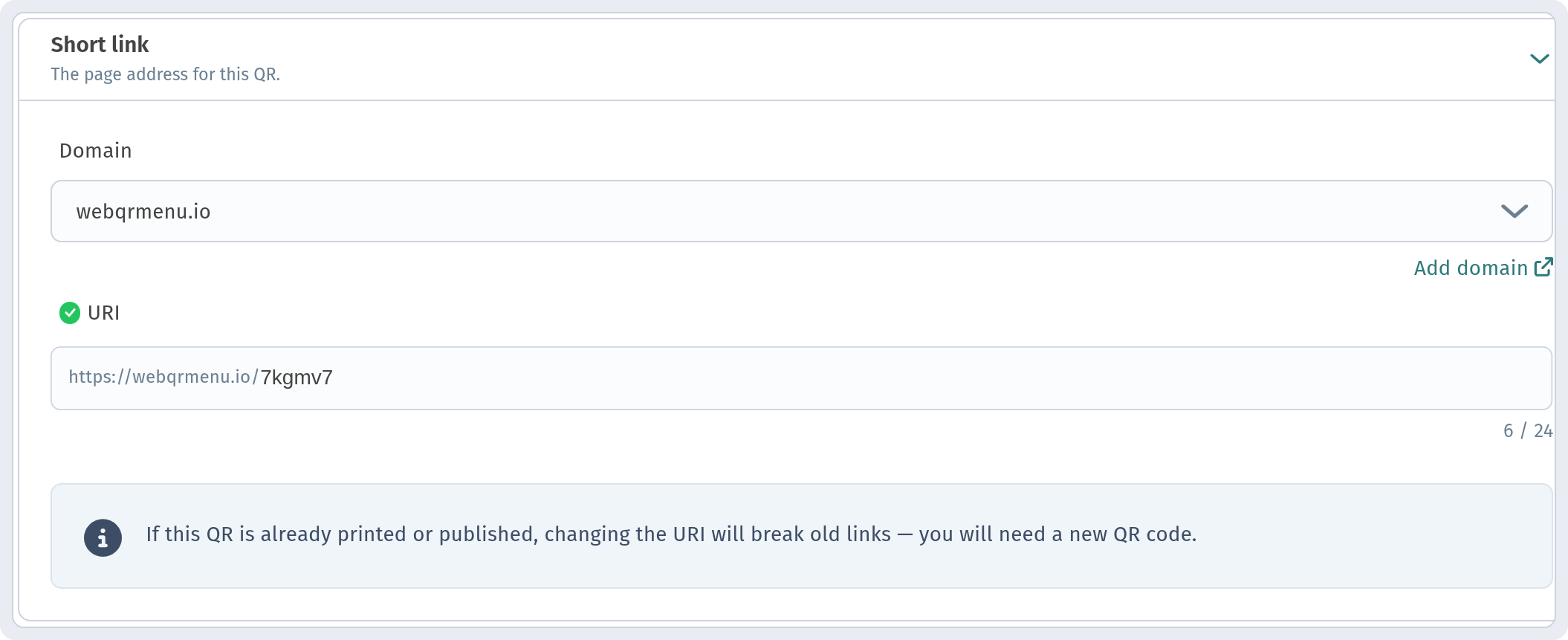
An automatic code like "7kgmv7" works, but it's hard to remember. Replace it with your venue's name, for example "aurora", and you can tell the link to a guest out loud.
The main rule: change the URI before printing
The hint in the setting warns you directly: after you change the URI, old links stop working and you'll need a new QR code. So:
- Pick the URI before you print QR codes, menus and stickers.
- If the codes are already on the tables, change the URI only together with a reprint.
- Check the links on social media, your Google profile and messengers too: they will need updating as well.
Search engine indexing
The Search engine indexing section has a switch: Allow search engines to index this page. It is off by default.

- Turn it on if you want your menu to be found on Google and other search engines: tourists and new guests often look up the menu before they visit.
- Leave it off if the menu is only for guests in the room.
Note: redirect-only pages (the URL or Instagram types) are not indexed.
Your own domain
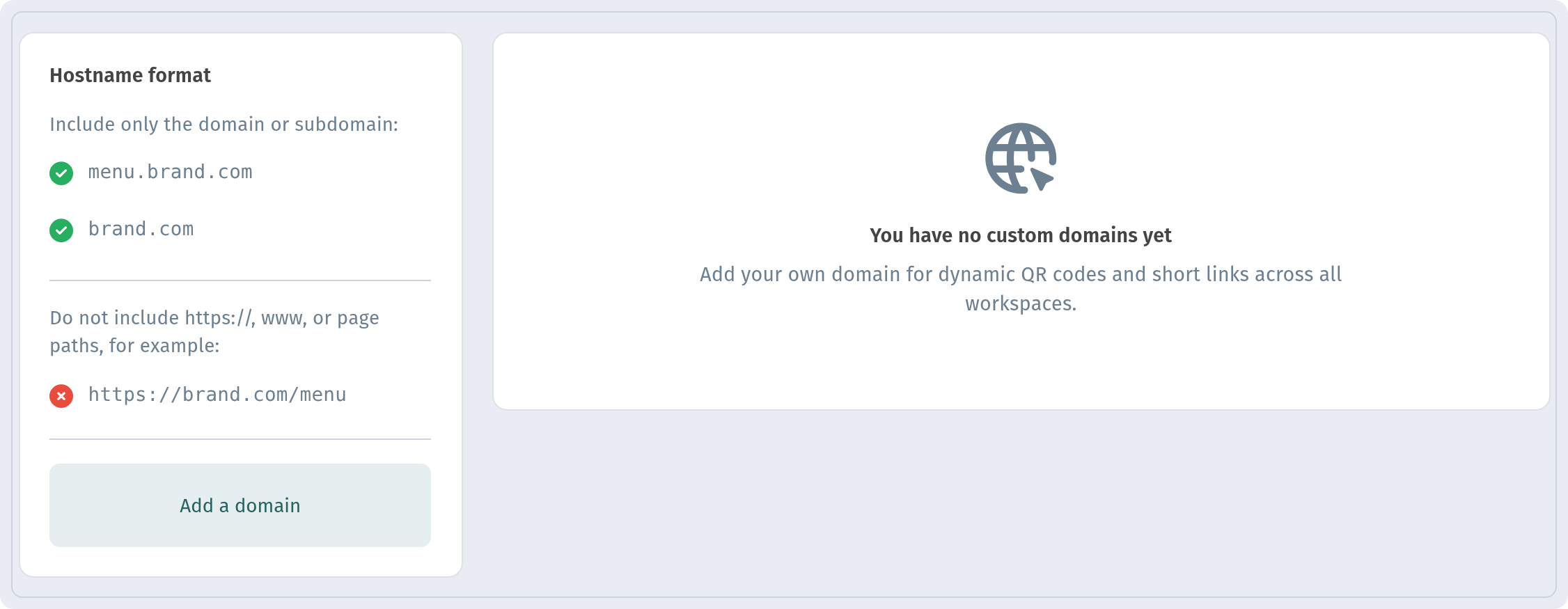
If you'd like an address such as menu.your-site.com, connect your own domain. How to do it is described in A custom domain for your QR menu.
And to make the QR code with the new link look neat, see How to design a QR code.
In short
- Set a clear URI before printing.
- Changing the URI means a new QR code.
- Turn on indexing if the menu should be found in search.