
Demo Menu: Get to Know WebQRMenu Quickly with a Ready Example
What the Demo menu option gives you when creating a store, what stays your own, and how to move from the example to your own menu.
An empty store is an empty screen: you can't tell what the menu will look like until you've added a dozen dishes. To avoid guessing, when you create a store in WebQRMenu you can choose a Demo menu and see straight away how everything works on a ready example.
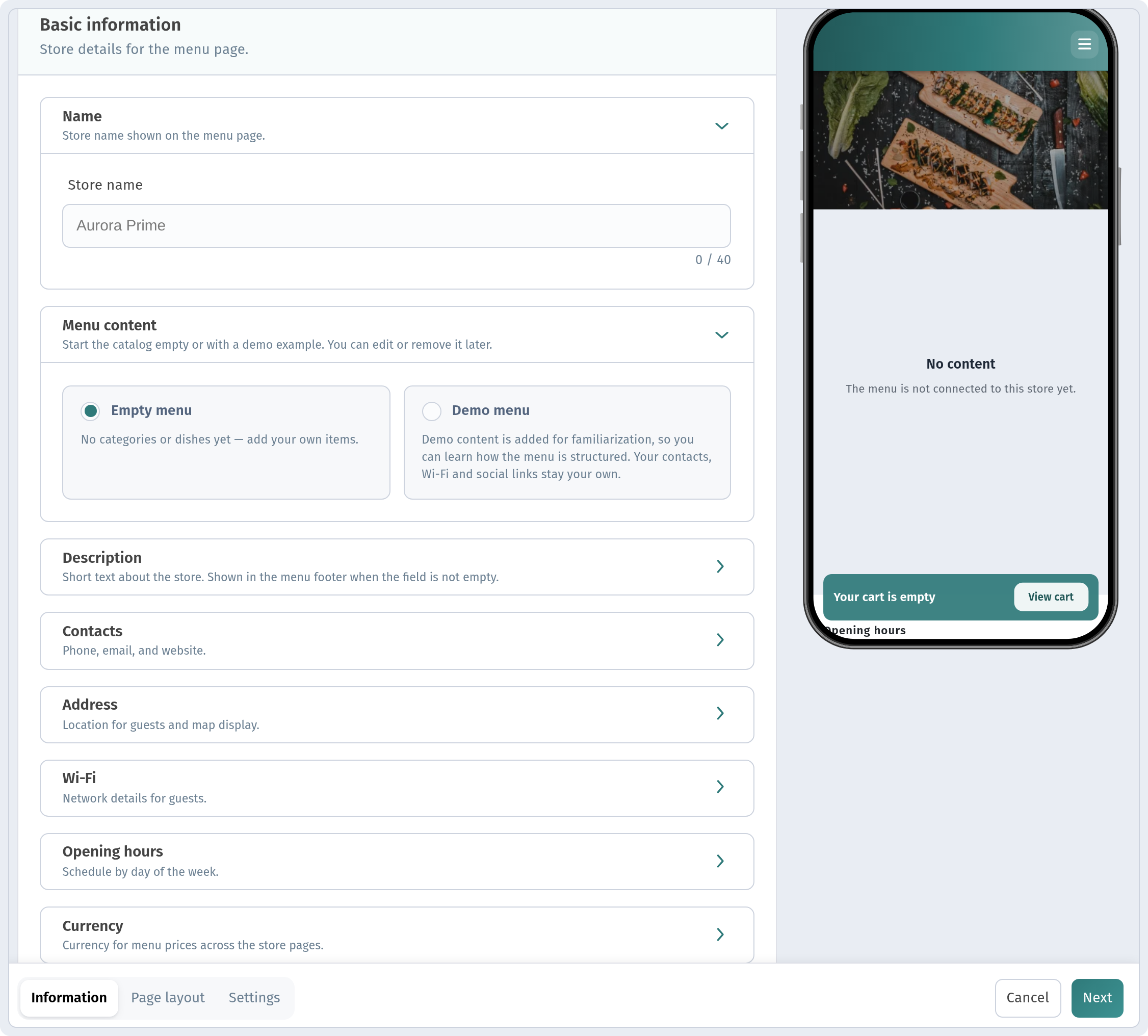
Where the demo menu is chosen
When you create a store, the Information tab has a Menu content block with two options:
- Empty menu: you start from a blank page;
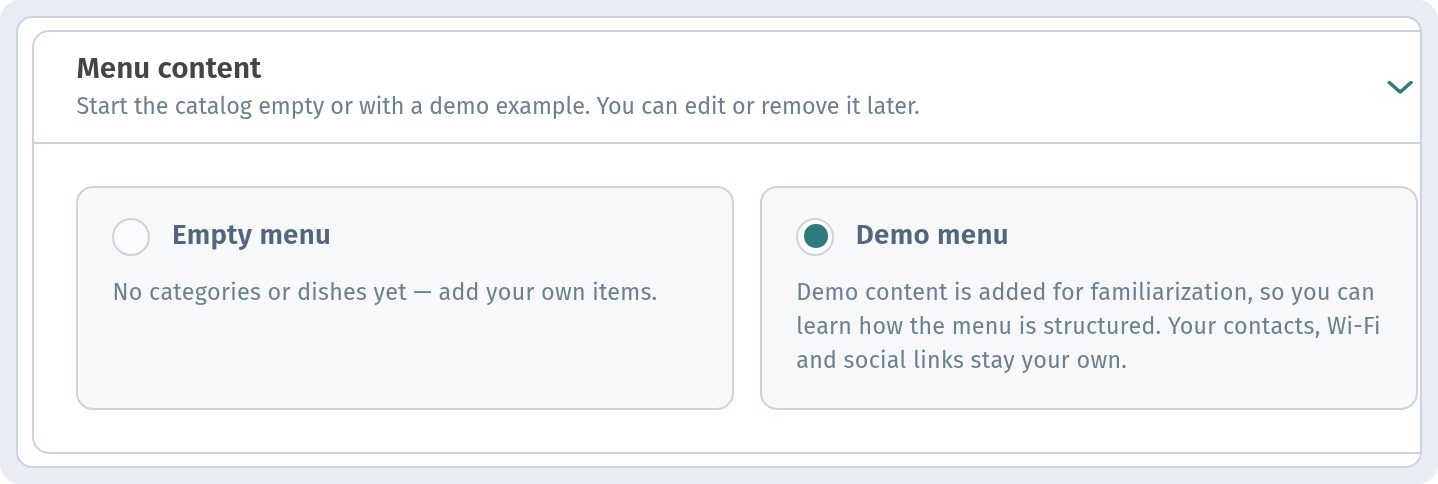
- Demo menu: demo content is added to the store for familiarisation.
An important detail from the hint: your contacts, Wi-Fi and social links stay your own. The demo content is about the menu, not about your venue's details. And, as the block subtitle says, you can edit or remove it later.
When to choose demo and when empty
Demo menu is a good fit if:
- you are new to WebQRMenu and want to understand how sections and dish cards work;
- you need to show the owner or the team what the QR menu will look like before the photos and texts are ready;
- you want to try the page design on a filled-in menu.
Empty menu is better if your menu is already prepared and you'll be entering your own dishes right away.
Moving from the example to your own menu
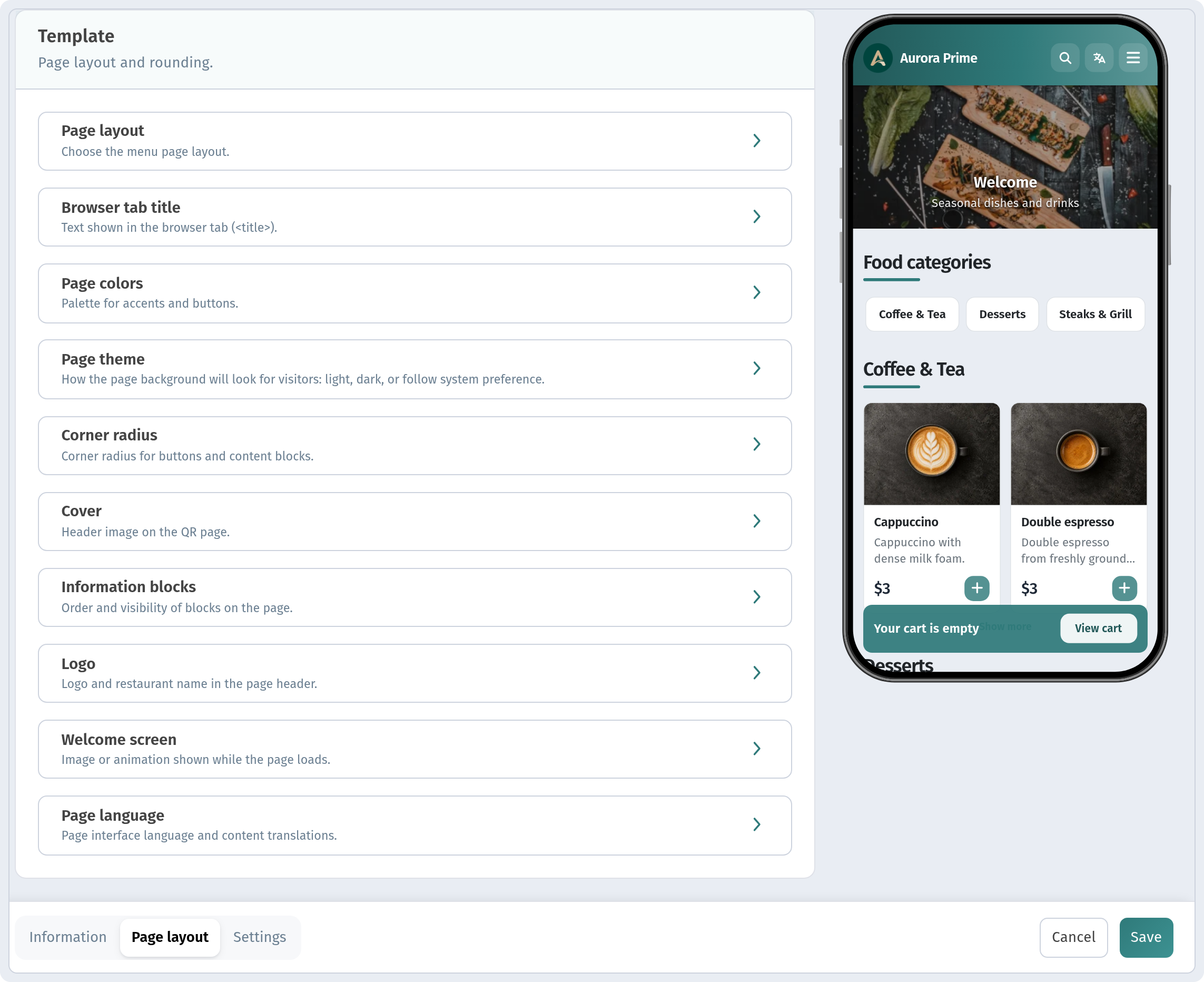
- See how the demo dishes look to a guest on a phone: photo, description, price.
- Replace the demo items with your own, or delete what you don't need.
- Adjust the look on the Page layout tab.
Before you print QR codes and put them on the tables, check that no demo dishes are left in the menu.
Building a menu from scratch step by step is covered in How to create a QR menu on WebQRMenu, and the store tabs are explained in detail in Store appearance and settings.
In short
- The demo menu is chosen when creating a store, in the Menu content block.
- Contacts, Wi-Fi and social links stay your own.
- Demo content can be edited or removed later.
- Remove everything demo before launch.