
Allergens and diets: a menu that works for guests with restrictions (vegetarian, gluten-free, nuts and more)
How to make a QR menu that guests with allergies and dietary restrictions can trust: marking allergens in the WebQRMenu dish card, ingredients and specifications, wording such as "vegetarian" and "may contain traces of nuts" in three languages, what the guest sees on the phone, and a checklist for your staff.
Almost every evening someone at one of your tables asks: "Is there gluten in this?", "Does the dessert have nuts?", "What can I eat if I'm vegetarian?" The waiter runs to the kitchen, the kitchen is busy, and the guest waits, or plays it safe and orders a salad they didn't want.
A QR menu can answer most of these questions before they're asked. In this article we show how to mark allergens and dietary information in WebQRMenu, what the guest sees on the phone, how to word descriptions so they're clear and honest, and what your staff should know. The examples come from our demo restaurant, Aurora Prime.
In short: mark every allergen in the Allergens block of the dish card, list the real ingredients, and put dietary information (vegetarian, gluten-free, "may contain traces of nuts") right in the description, translated into every menu language. Guests see the allergens as labels on the dish card and can find dishes by searching for words like "vegetarian". Your staff still need to know the recipes and what to do when a guest says "I'm allergic".
The dish card editor as a whole is covered in The dish card in WebQRMenu. Here we focus on what matters for guests with restrictions.
1. Why it matters
For a guest with a nut allergy or coeliac disease, the menu isn't a matter of taste: a mistake can mean an evening in hospital. For a vegetarian or someone avoiding dairy, it's about trust: if they once found meat stock in a "vegetable" soup, they won't come back.
What a clear menu gives you:
- guests choose faster: they don't have to call the waiter for every dish;
- fewer mistakes: the information is written down, not passed on from memory;
- more orders: a guest who can see exactly what's in a dessert is more likely to order it than skip it;
- less pressure on the waiters: they answer the difficult questions, not the obvious ones;
- tourists are covered too: allergens and descriptions are translated, so a guest doesn't have to explain their allergy in a foreign language.
In many countries informing guests about the main allergens is also a legal requirement. Check the rules where you operate; a well-kept QR menu makes complying much easier.
2. Marking allergens in the dish card
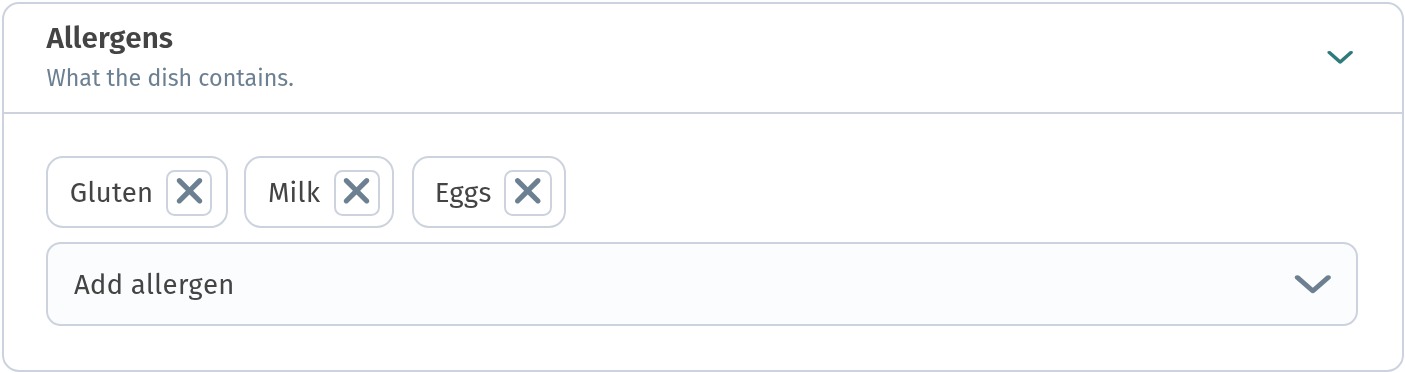
Open the dish in the dashboard: Menu content, the section, then Edit in the dish's actions menu. Expand the Allergens block. The allergens already marked are shown as labels; to add one, open Add allergen and choose from the list. It covers the most common allergens: gluten, milk, eggs, tree nuts, peanuts, soy, fish, shellfish, sesame and mustard. To remove an allergen, click the cross on its label. Then click Save.
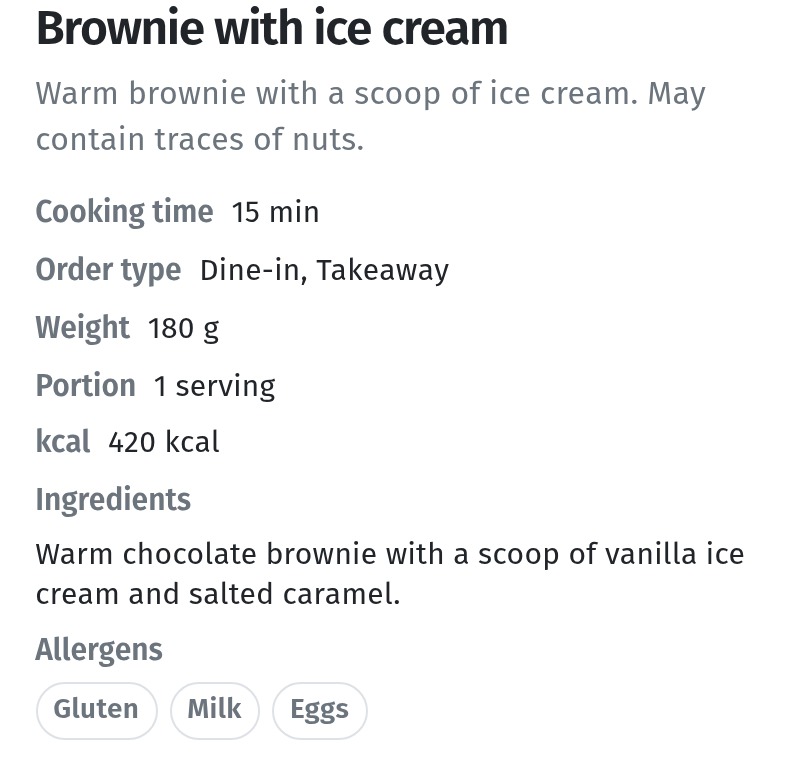
Here's our brownie with ice cream: gluten, milk and eggs.
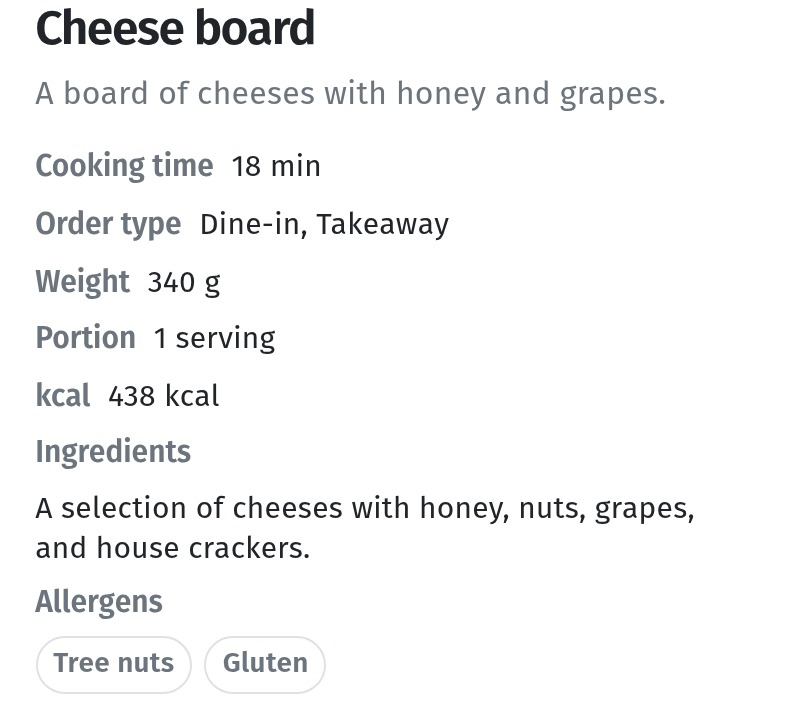
We went through the whole Aurora Prime menu and added what was missing. The mozzarella pizza, the burrata caprese and the Greek salad with feta now carry Milk. The cheese board already had Tree nuts and Gluten.
A few rules:
- mark what's in the recipe, including the sauce, the dressing and the garnish: a nut-free salad stops being nut-free the moment someone adds a nut pesto;
- check the semi-finished products: ready-made bread, sauces and stocks often contain gluten, milk, mustard or soy;
- update the card when the recipe changes, not "later";
- don't mark "just in case": if every dish lists every allergen, the list stops helping. Cross-contamination goes in the description (see section 4).
3. Ingredients and specifications
Allergens tell the guest what to avoid; the ingredients tell them what's actually in the dish. Many guests with restrictions read the ingredients first: they're looking for butter, cream, flour, honey, gelatine or meat stock.
Fill in the ingredients in the Basic information block, plainly and completely: "Warm chocolate brownie, a scoop of vanilla ice cream and salted caramel", not "Chef's signature dessert".
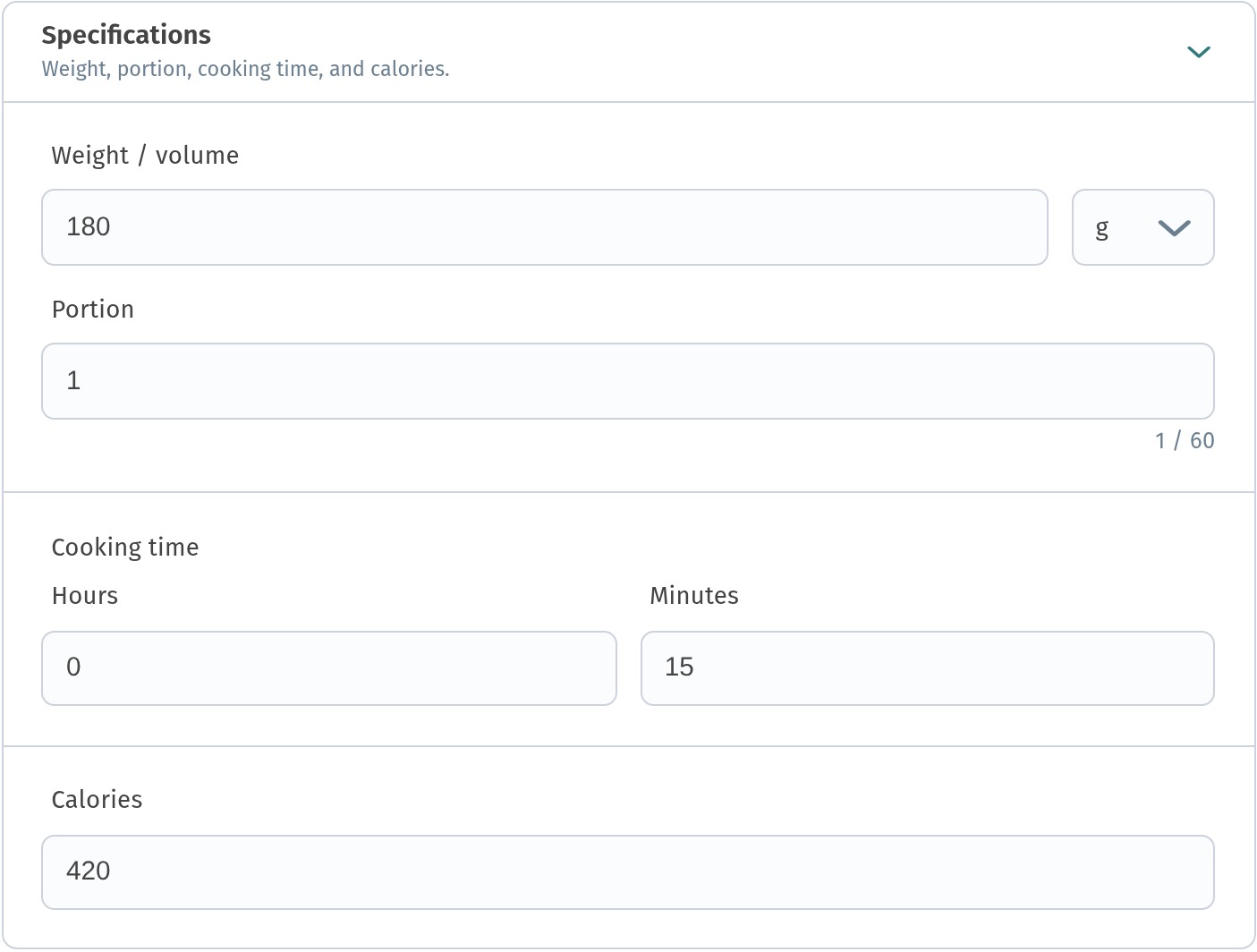
The Specifications block holds the weight or volume, the portion, the cooking time and the calories. Calories matter to guests watching their diet, and the weight helps them judge the size of the portion.
4. Dietary information in the description
The dish card has no separate "vegetarian" or "gluten-free" tag, so put this information in the Description. It appears on the dish tile in the menu and at the top of the card, which is exactly where the guest looks.
We added two such lines to the Aurora Prime menu:
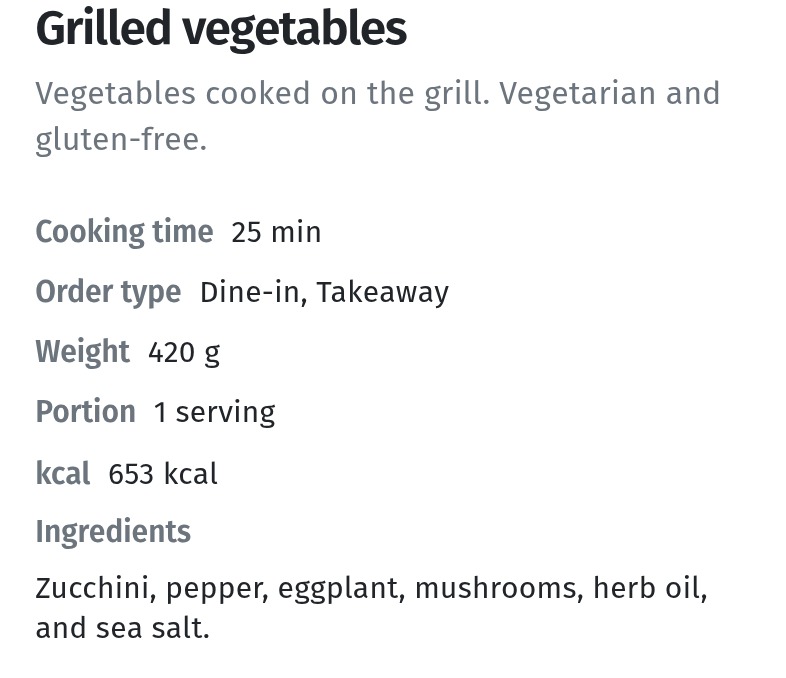
- grilled vegetables: "Vegetarian and gluten-free.";
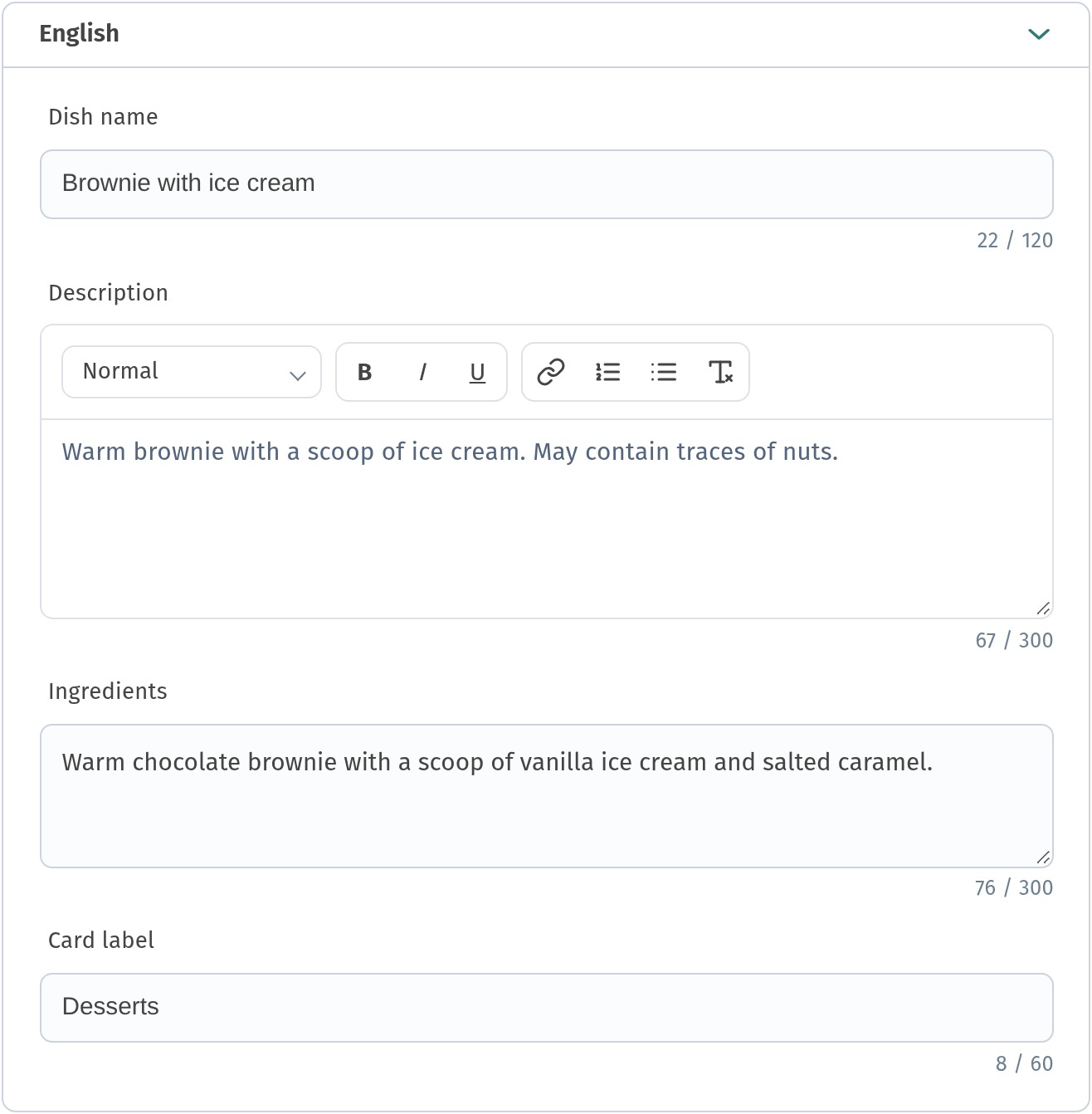
- brownie with ice cream: "May contain traces of nuts.".
For every language of your menu, write the same line in the Translations block: expand the language row and add it to the Description. Here's the English row of our brownie:
Keep the wording short and identical across the menu, so guests learn to recognise it. Useful phrases in three languages:
| Meaning | EN | RU | KA |
|---|---|---|---|
| Vegetarian | Vegetarian. | Вегетарианское. | ვეგეტარიანული. |
| Vegan | Vegan: no meat, fish, dairy, eggs or honey. | Веганское: без мяса, рыбы, молочных продуктов, яиц и мёда. | ვეგანური: ხორცის, თევზის, რძის ნაწარმის, კვერცხისა და თაფლის გარეშე. |
| Gluten-free | Gluten-free. | Без глютена. | გლუტენის გარეშე. |
| Traces | May contain traces of nuts. | Может содержать следы орехов. | შეიძლება შეიცავდეს თხილეულის კვალს. |
| Can be adapted | Can be made without cheese on request. | По вашей просьбе можем приготовить без сыра. | თქვენი სურვილით შეგვიძლია მოვამზადოთ ყველის გარეშე. |
| Spicy | Spicy. | Острое. | ცხარე. |
What to avoid:
- vague words: "light", "healthy", "natural" say nothing to a guest with an allergy;
- promises you can't keep: don't write "gluten-free" if the dish is fried in the same oil as breaded food. Write "Contains no gluten ingredients; prepared in a kitchen that uses flour" instead;
- "vegetarian" with hidden animal products: meat stock, fish sauce, gelatine, lard;
- different wording for the same thing in different dishes.
How to set up translations in general is described in A menu in three languages.
5. What the guest sees on the phone
When the guest opens a dish, the card shows the description, the cooking time, the order type, the weight, the portion, the calories, the ingredients and, at the bottom, the Allergens as labels. Everything is in the language the guest chose, including the allergen names.
Here's our brownie: the description ends with "May contain traces of nuts.", and the allergens are gluten, milk and eggs.
The cheese board, with tree nuts and gluten. Nuts are listed both in the ingredients and in the allergens, so the guest doesn't have to guess:
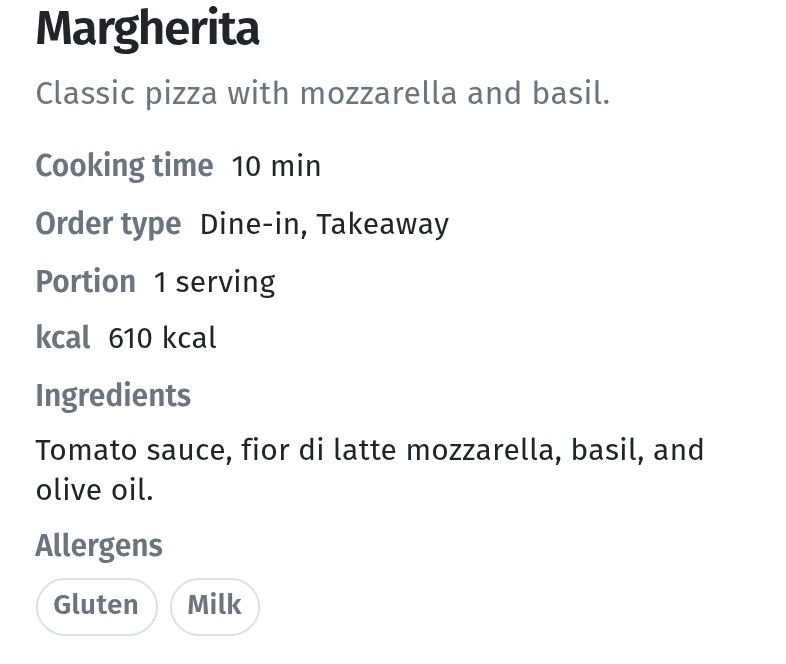
The Margherita: gluten from the dough and milk from the mozzarella.
Finding dishes by diet
The guest menu has a search, and it looks through dish descriptions too. That's why a consistent word in the descriptions matters: a vegetarian guest taps the magnifier, types "vegetarian" and finds every dish you marked that way.
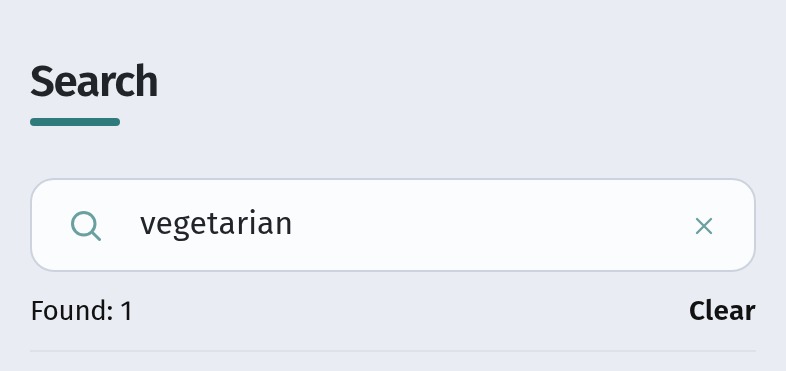
In our menu, that's the grilled vegetables. The description says it plainly, and the card has no allergens block, because the dish has none:
Search works in the menu's language: the guest who opened the menu in English searches for "vegetarian", in Russian for «вегетарианское», in Georgian for "ვეგეტარიანული". Another reason to use the same wording in every translation.
6. What your staff should know
A menu can't answer everything, and a guest with a serious allergy will usually ask anyway. Make sure the answer is the same whoever they ask.
Checklist for the team:
- Know where the information is. Every waiter can open the guest menu on a phone and show the allergens and ingredients of any dish.
- Don't guess. If unsure, the answer is "I'll check with the kitchen", never "I think it's fine".
- Pass it on to the kitchen. A guest's allergy goes into the order note ("Add a note" in the dish card) or is said to the kitchen directly, every time.
- Know what can be changed. Which dishes can be made without the sauce, the cheese or the nuts, and which can't.
- Know the cross-contamination risks. Shared fryers, shared boards, flour in the air: the kitchen tells the floor, the floor tells the guest honestly.
- Report changes. A new supplier or a changed recipe means the dish card is updated the same day.
- One person is responsible for keeping allergens and descriptions current, usually the head chef or the manager.
- Review regularly. Once a month, go through the menu card by card with the kitchen.
Checklist: is your menu ready for guests with restrictions?
- Every dish has its allergens marked in the Allergens block, including sauces and garnish.
- The ingredients are complete and plain.
- Weight, portion and calories are filled in under Specifications.
- Vegetarian, vegan and gluten-free dishes say so in the description, in the same words every time.
- Traces and cross-contamination are stated honestly: "May contain traces of nuts".
- All of it is translated into every language of your menu.
- You've checked the cards on a phone and searched for "vegetarian" and "gluten-free".
- Your staff know where to find the information, what to tell the kitchen and when to say "I'll check".