
QR Menus for Tourists: What Matters to Foreign Guests
Translations, local dish explanations, allergens, photos, Wi-Fi and tipping: how to make your QR menu clear for tourists.
For a tourist, a paper menu in an unfamiliar language is a small puzzle: strange names, unknown ingredients and the fear of ordering the wrong thing. In tourist cities like Tbilisi this happens every day. A QR menu removes these barriers, provided you prepare it with foreign guests in mind.
1. Translations that make sense, not word-for-word
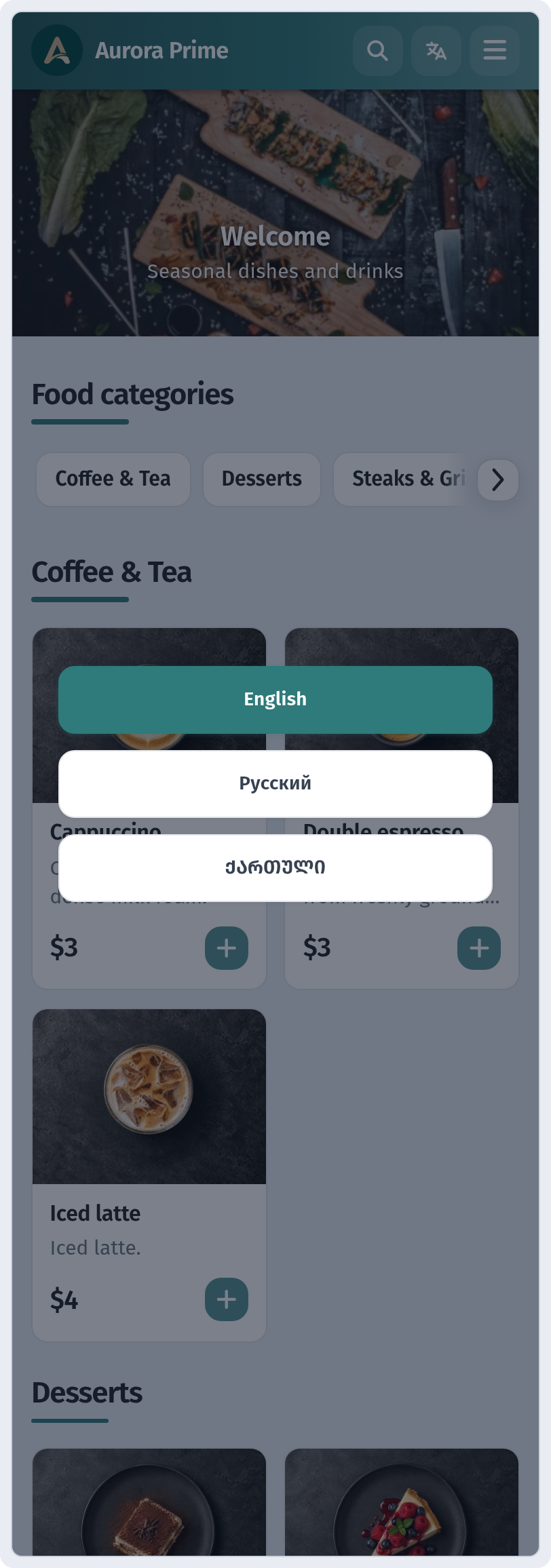
The first thing a tourist needs is a menu in their language. WebQRMenu supports menus in three languages: guests open the QR code and tap the translate icon in the top bar, which opens English / Русский / ქართული. We covered setup in A menu in three languages.
Translating isn't enough, though. The translation has to be clear:
- Keep the local name and explain it. "Khinkali: Georgian dumplings filled with broth" is clearer than plain "Khinkali" or a vague "dumplings".
- Don't rely on unchecked machine translation. Auto-translate often turns "ajapsandali" into nonsense. Show the text to a native speaker, or at least to one of your regular foreign guests.
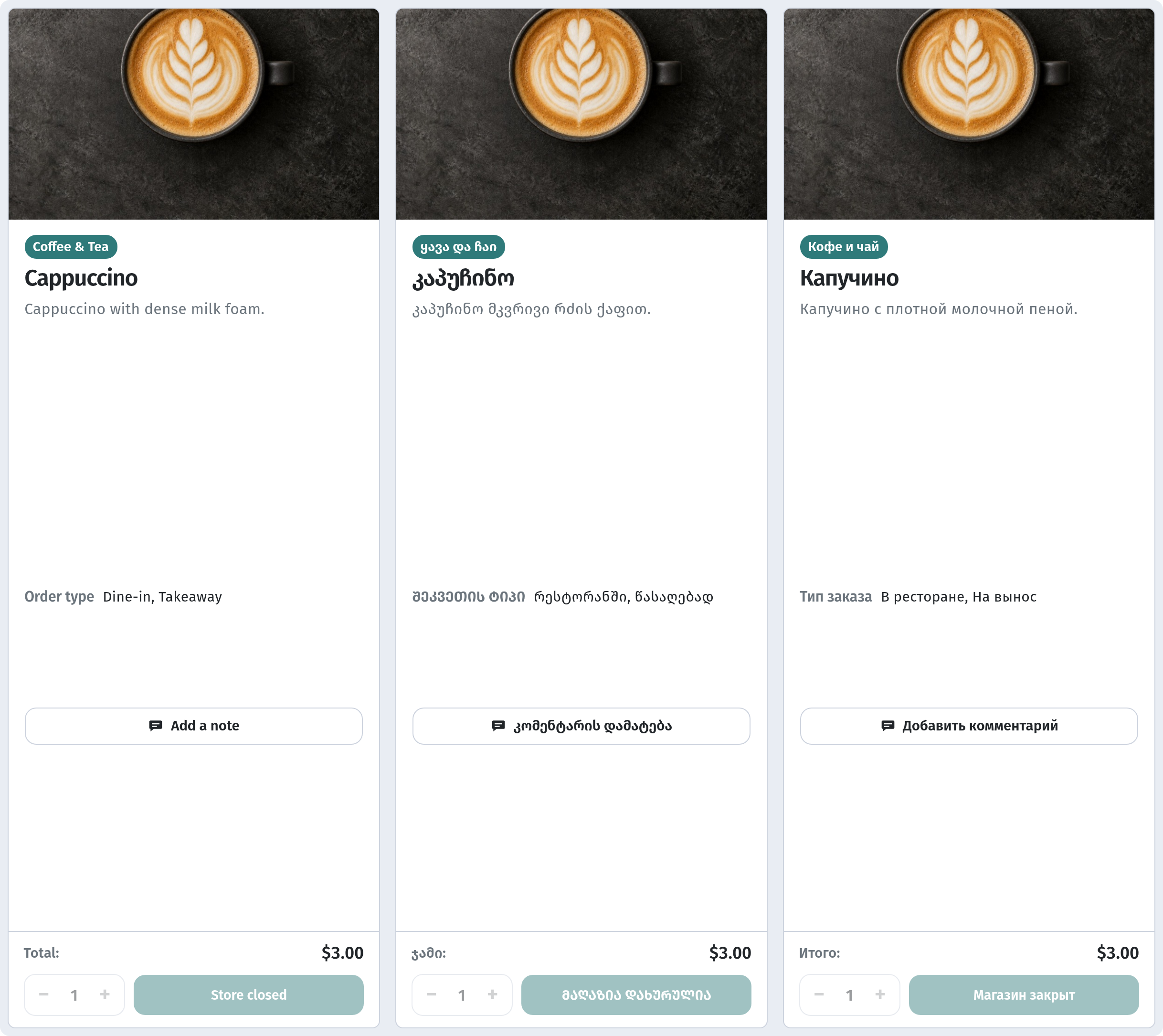
- Translate everything: categories, descriptions and portion variants, not just dish names.
2. Explain how to eat it
Tourists come for local food but often don't know the rules. A short tip in the description sells better than any photo:
- "Eat khinkali by hand: hold the top knot and sip the broth first."
- "Adjarian khachapuri: stir the egg yolk and butter into the bread boat."
- "Serves two, great for sharing."
3. Allergens and dietary needs
A guest who doesn't speak the local language will struggle to ask whether a dish contains nuts or dairy. Mark allergens in the dish card and mark spicy dishes with the Острый (spicy) badge. See how in Dish card: variants, allergens and badges.
4. Photos do the talking
When the language is foreign, photos become the main translator. They matter most for national dishes whose names mean nothing to visitors.
5. No surprises with currency
Menu prices are shown in the currency set for your venue. Most tourists simply need to know that prices are in the local currency. If most of your guests are foreigners, you can mention accepted payment methods in the venue description.
6. Wi-Fi, opening hours and address
A tourist without a local SIM looks for Wi-Fi first. Add the network name and password to your QR menu so staff don't have to read them out. Keep opening hours, address and contacts next to it: tourists often plan a return visit or try to find you again later.
7. Tipping without awkwardness
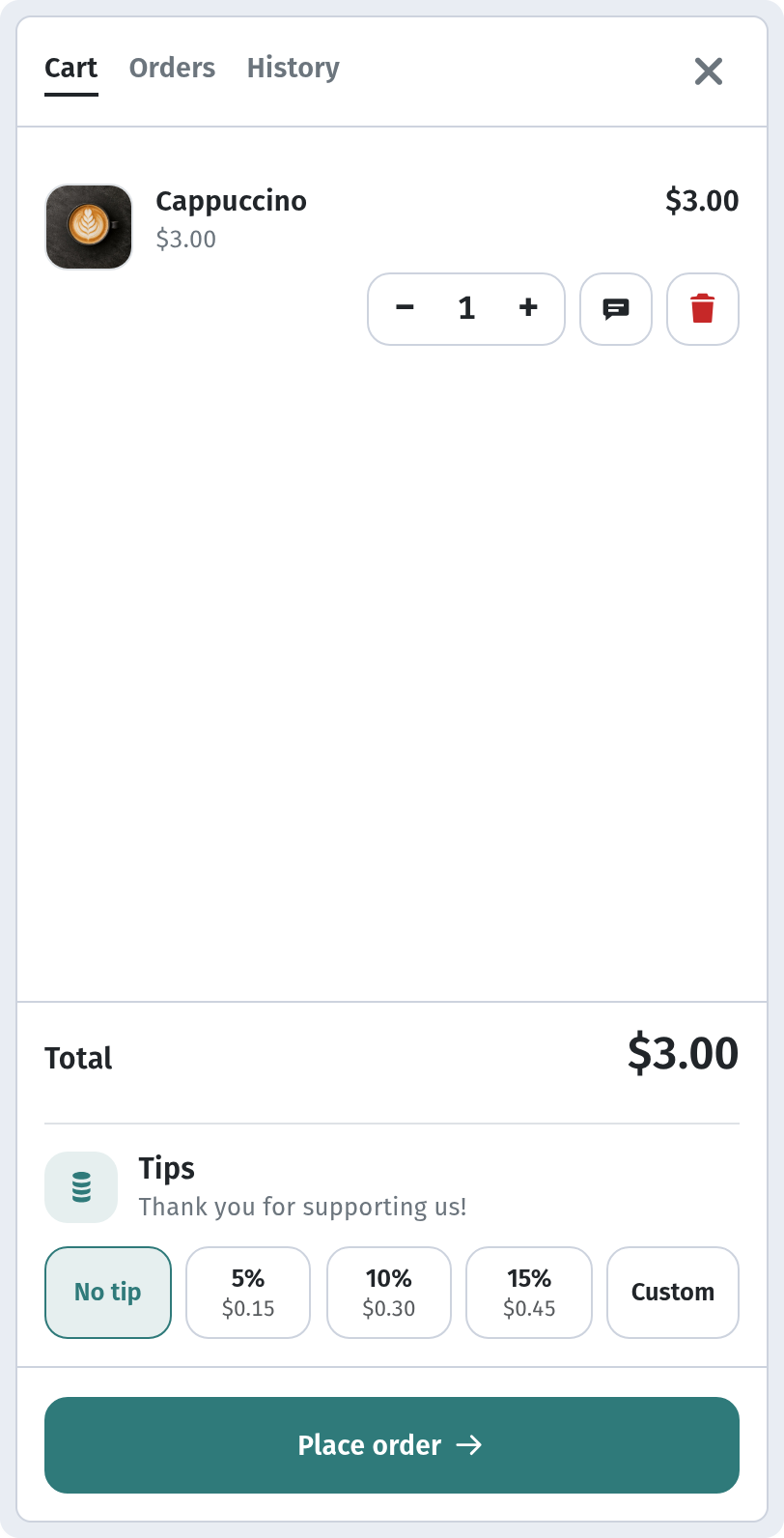
Tipping customs differ from country to country, and guests often feel awkward asking. If you have tips at checkout enabled, guests see the options right in the cart and choose for themselves: No tip, 5%, 10%, 15% or Custom.
The bottom line
A tourist-friendly QR menu means clear translations, explanations of local dishes, allergens, photos and all the practical details in one place. Guests like that order with more confidence, order more and are happier to leave a review.