
Rush Hour Without Chaos: How QR Ordering Takes the Pressure Off
Where time goes on a busy night and how QR ordering, the kitchen line and waiter calls speed up service.
Friday night, every table is taken and there's a queue at the door. Waiters rush between the floor and the kitchen, guests wait for the menu, then wait to order, then wait for the bill. Peak hours expose every weak spot in your service. QR ordering won't replace your team, but it takes the most repetitive work off their hands.
Where time goes at peak hours
Break a guest's visit into steps, and most of the waiting happens on the floor, not in the kitchen:
- waiting for the menu;
- waiting for a waiter to take the order;
- waiting for the order to reach the kitchen;
- waiting for the bill.
Guests can handle three of these four steps themselves when there's a QR code on the table.
Step 1. Guests order themselves
A QR code on each table opens the menu instantly. Guests fill a cart and send the order, and the order already knows which table it came from.
Waiters don't disappear: they greet guests, give recommendations and bring the food. They just no longer spend five minutes at every table writing down orders.
Step 2. The order goes straight to the kitchen
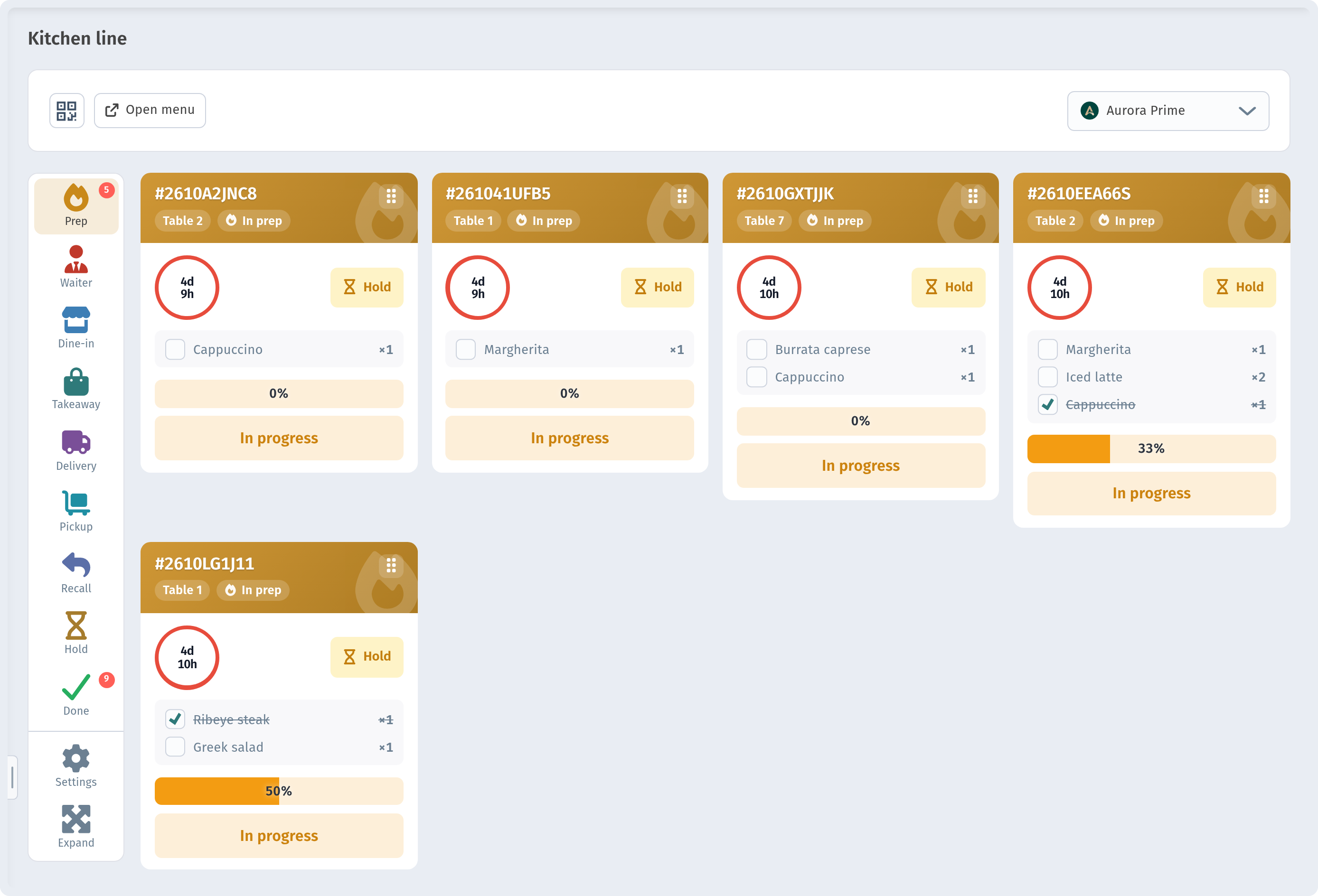
Orders from the QR menu land on the kitchen line, a screen where orders are sorted into lanes: Prep, Waiter, Dine-in, Takeaway, Delivery, Pickup, Recall, Hold and Done. Push notifications help make sure a new order isn't missed even when nobody is looking at the screen. More in Kitchen line.
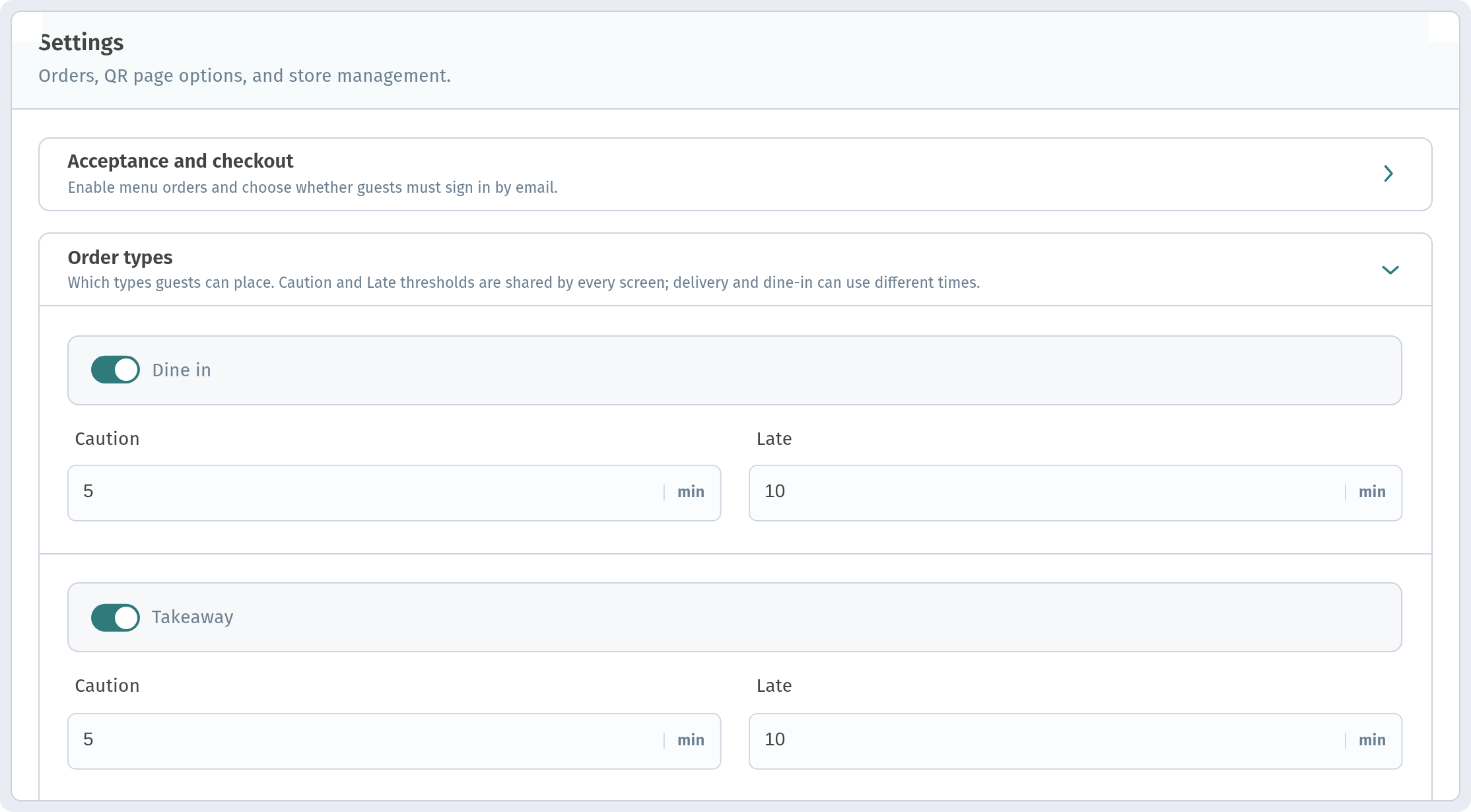
A useful setting for busy hours is the time threshold for each order type: Caution (the order needs speeding up) and Late (the order is already overdue), set in minutes. An order that is starting to run behind stands out right away, not when the guest comes over to complain.
Step 3. Calling a waiter or asking for the bill in one tap
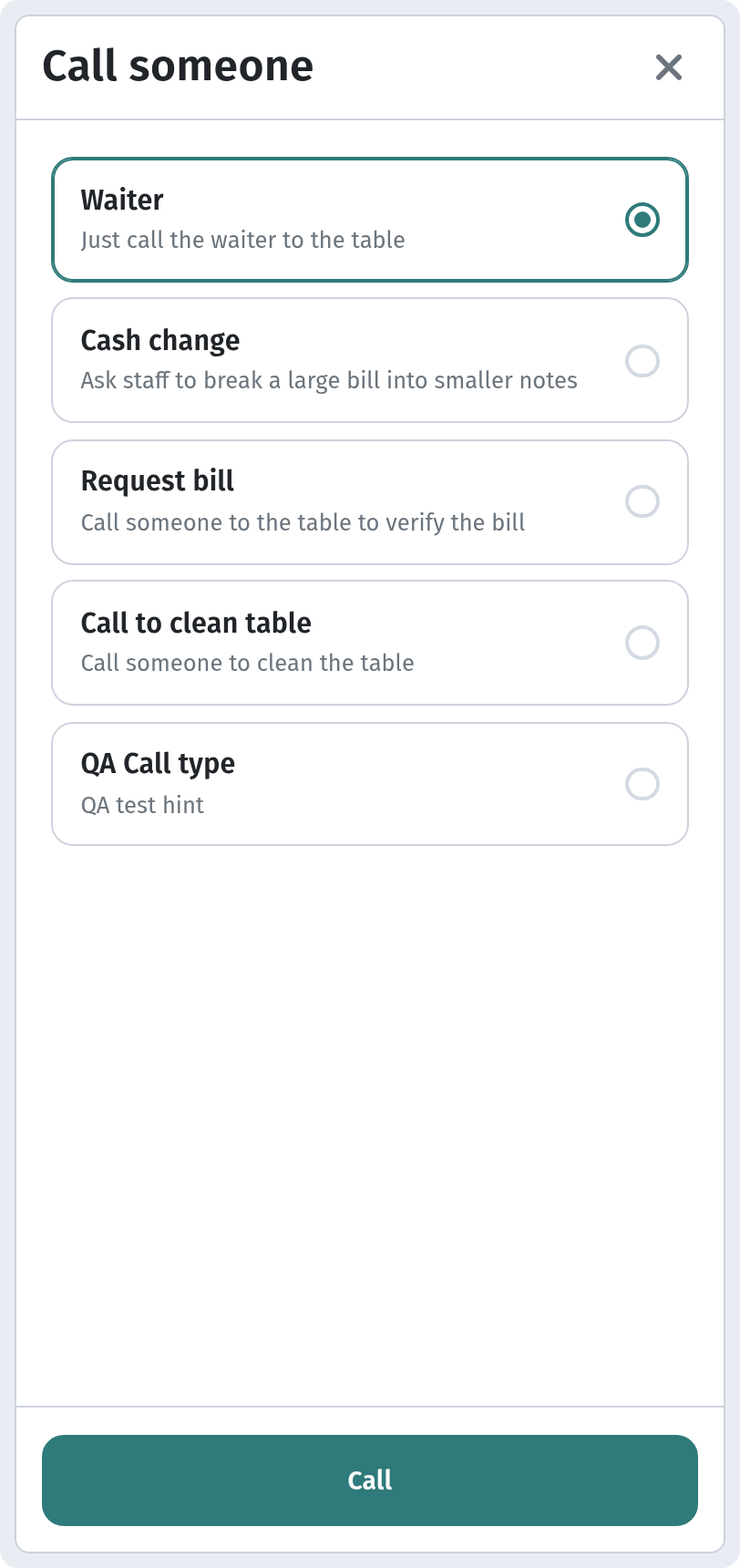
A guest who needs a napkin or the bill shouldn't have to catch a waiter's eye. The call waiter and bill buttons in the QR menu send a signal to staff along with the table number. More in Call waiter and bill.
Getting ready for the rush
- Trim the menu for peak hours if the kitchen can't keep up: remove the dishes that take longest to prepare.
- Put quick favourites at the top, the dishes the kitchen can send out in minutes.
- Assign zones: give each waiter their own tables so calls don't get lost.
- Test your QR codes in advance: a code that won't scan during the rush is the most expensive kind of problem.
- Give the kitchen one screen: all orders should arrive in one place, not partly by voice and partly on paper.
What to check after the shift
After a busy evening, look at how many orders came in. Orders analytics breaks them down by day, month and year, so you can see which days of the week are busiest and plan shifts around them.
The bottom line
A calm rush hour means guests don't wait for things they can do themselves, the kitchen sees every order in one place and waiters spend their time on guests instead of running around. QR ordering takes care of the first two. The third is down to your team.