
How to Write Dish Descriptions That Sell
A simple formula for QR menu dish descriptions, rules on length and tone, upselling tricks and a quick checklist.
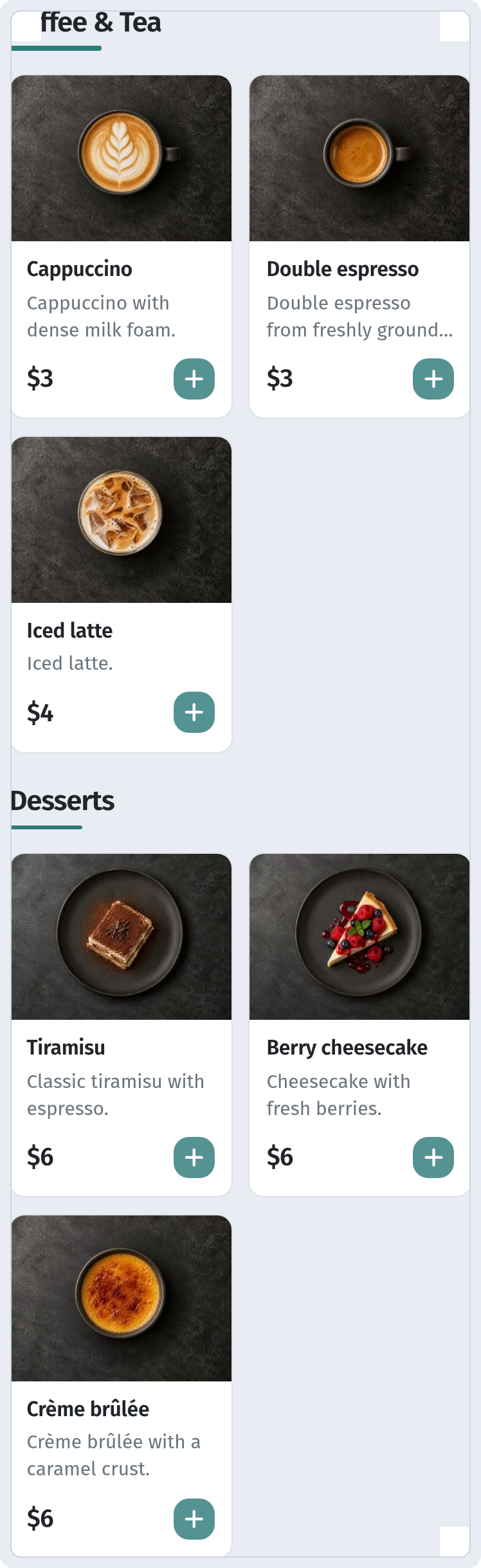
A guest opens your QR menu and decides what to order within seconds. The photo catches the eye, but the choice is usually made by the two lines under the dish name. A good description removes doubt, hints at what goes well with the dish and gently steers the guest towards a more interesting order.
What guests want to know in five seconds
Before ordering, most guests have three questions: what is it, what does it taste like, and is it right for me? Your description should answer all three. A simple formula:
main ingredient + cooking method + taste or texture + one detail that makes the dish stand out.
Compare:
- "Chicken with vegetables."
- "Grilled chicken thigh with crispy skin, roasted peppers and a herby matsoni sauce."
The second version is barely longer, yet the guest already knows what will arrive at the table.
Rules for a good description
Keep it short. One or two lines, roughly 80–140 characters, read best on a phone screen. Save the long story of the dish for your waiters.
Be specific. Write about flavour, temperature and texture: slow-cooked, crispy, spicy, chilled. Words like "delicious", "exquisite" or "chef's special" tell the guest nothing.
Be honest. If a dish is hot, say so. If a portion is big enough to share, mention it. An unpleasant surprise on the plate hurts more than any modest wording.
Lead with what matters. On a narrow screen the first words are always visible, while the end of a line may be cut off. Start with whatever sells the dish.
Use one voice. Have one person write all descriptions in the same tone. Poetry in one category and a dry ingredient list in the next makes the menu feel thrown together.
Not everything belongs in the text
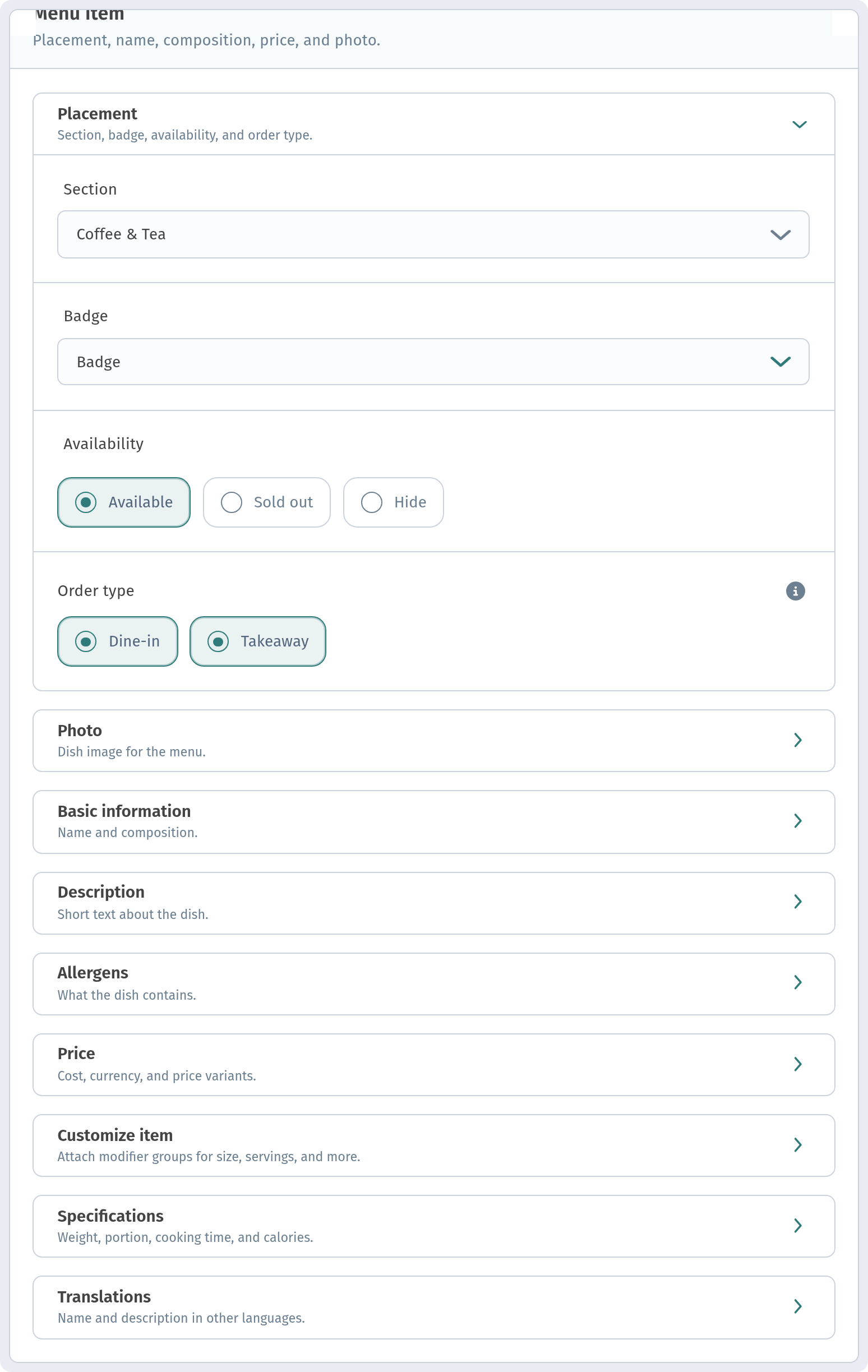
Some information works better in the dish card than in the description. In WebQRMenu the dish form has Placement (Section, Badge, Availability, Order type), Basic information (Description, Allergens) and Price with price variants. Put portion sizes into price variants, and allergens and labels into Allergens and badges, and keep the text for flavour and character. Read more in Dish card: variants, allergens and badges.
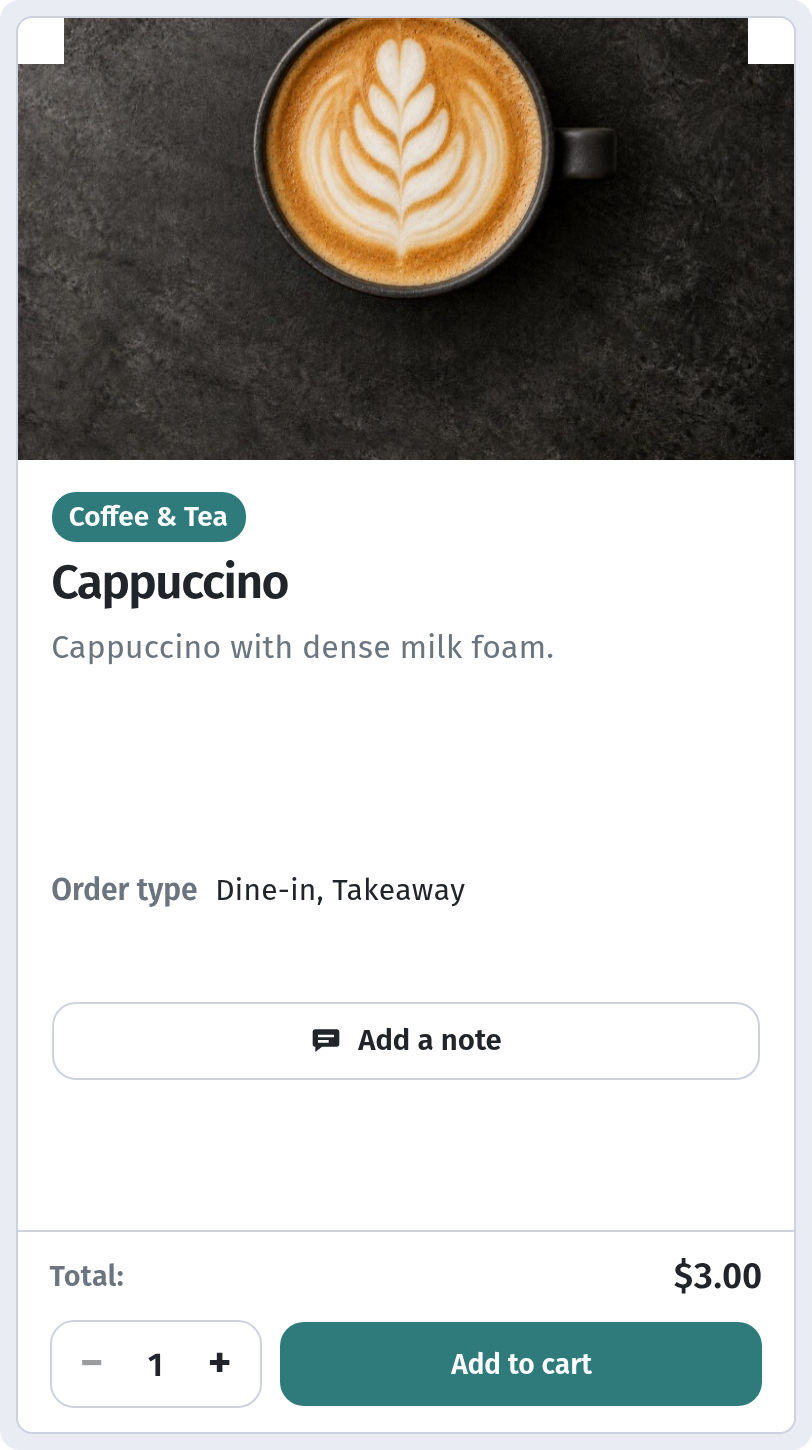
Photos and descriptions work as a pair: the photo shows what the dish looks like, the text explains why it is worth ordering. For photography tips, see Dish photos for your QR menu.
Descriptions that sell more
- Suggest a pairing: "great with a glass of Saperavi" or "try it with our homemade lemonade".
- Mention provenance when it is real: local cheese, bread baked in-house, farm vegetables.
- Pick 2–3 items per category you especially want to sell and describe them in a little more detail than the rest.
Quick checklist
- Does it name the main ingredient and cooking method?
- Is it clear what the dish tastes like?
- Have you dropped empty words like "delicious" and "exquisite"?
- Does it fit into one or two lines on a phone?
- Does it match what actually comes out of the kitchen?
Run through your menu with this list, then check a week later which dishes are ordered more often. The beauty of a QR menu is that you can rewrite any text at any time without reprinting.