
A QR Menu for a Coffee Shop: Sizes, Coffee to Go and a Short Path to the Order
Practical tips for a small coffee shop: how to set up drink sizes, mark what can be taken away, highlight a seasonal drink and arrange your sections.
A coffee shop runs at a different pace from a restaurant. A guest drops in for five minutes, the order is simple, and in the morning the queue at the counter grows faster than the barista can ask "what size?". Here is how to set up a QR menu for exactly that pace.
1. Coffee as the first section
In the morning most guests come for coffee. Put the coffee and tea section first, pastries second and everything else below. The guest opens the menu and immediately sees what they came for.
2. Sizes as price variants, not separate items
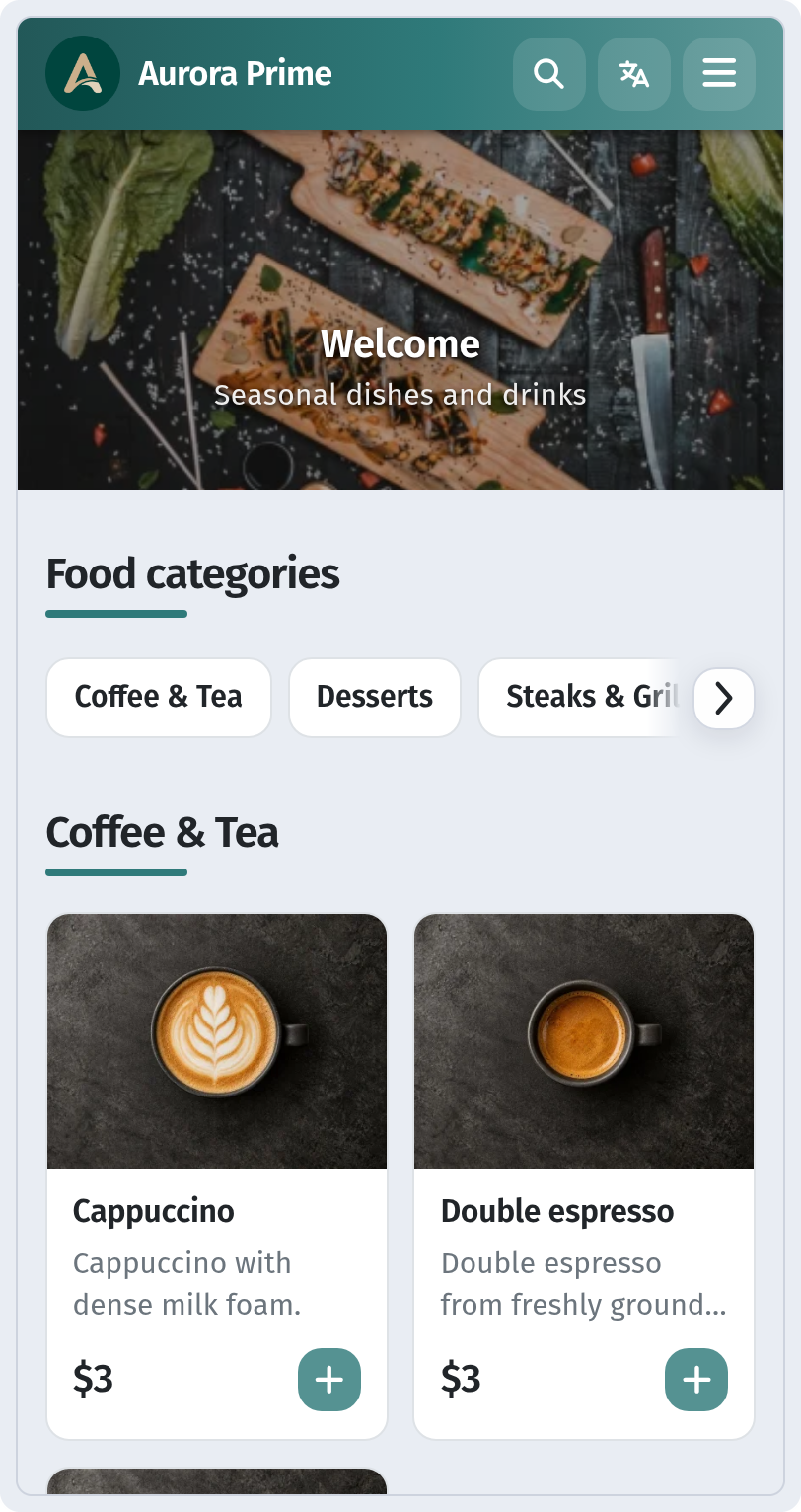
A 250 ml and a 350 ml cappuccino aren't two dishes but one with two variants. In the dish card, open the Price block and add a row for each size with Add variant. In the menu the price is shown as a range, and the guest picks the size on the dish card.
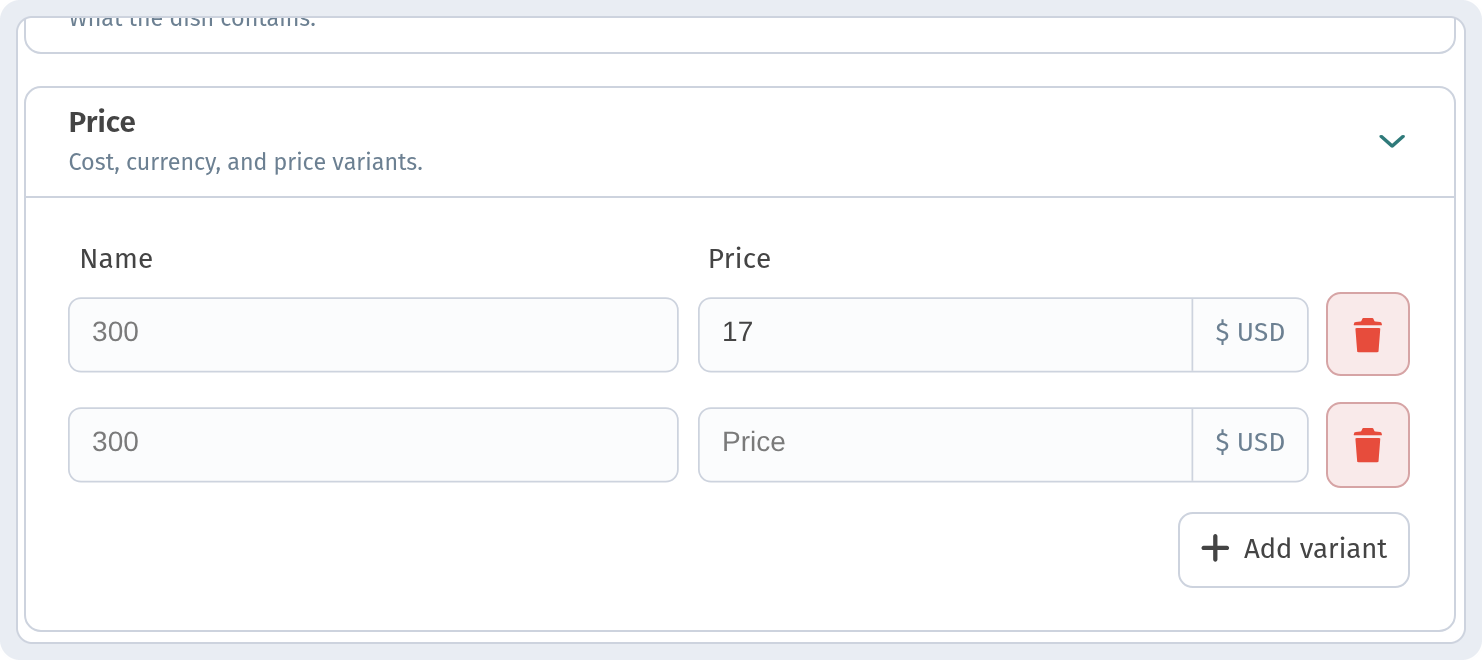
That keeps the menu short, and the guest answers "what size?" themselves.
3. Mark what can be taken away
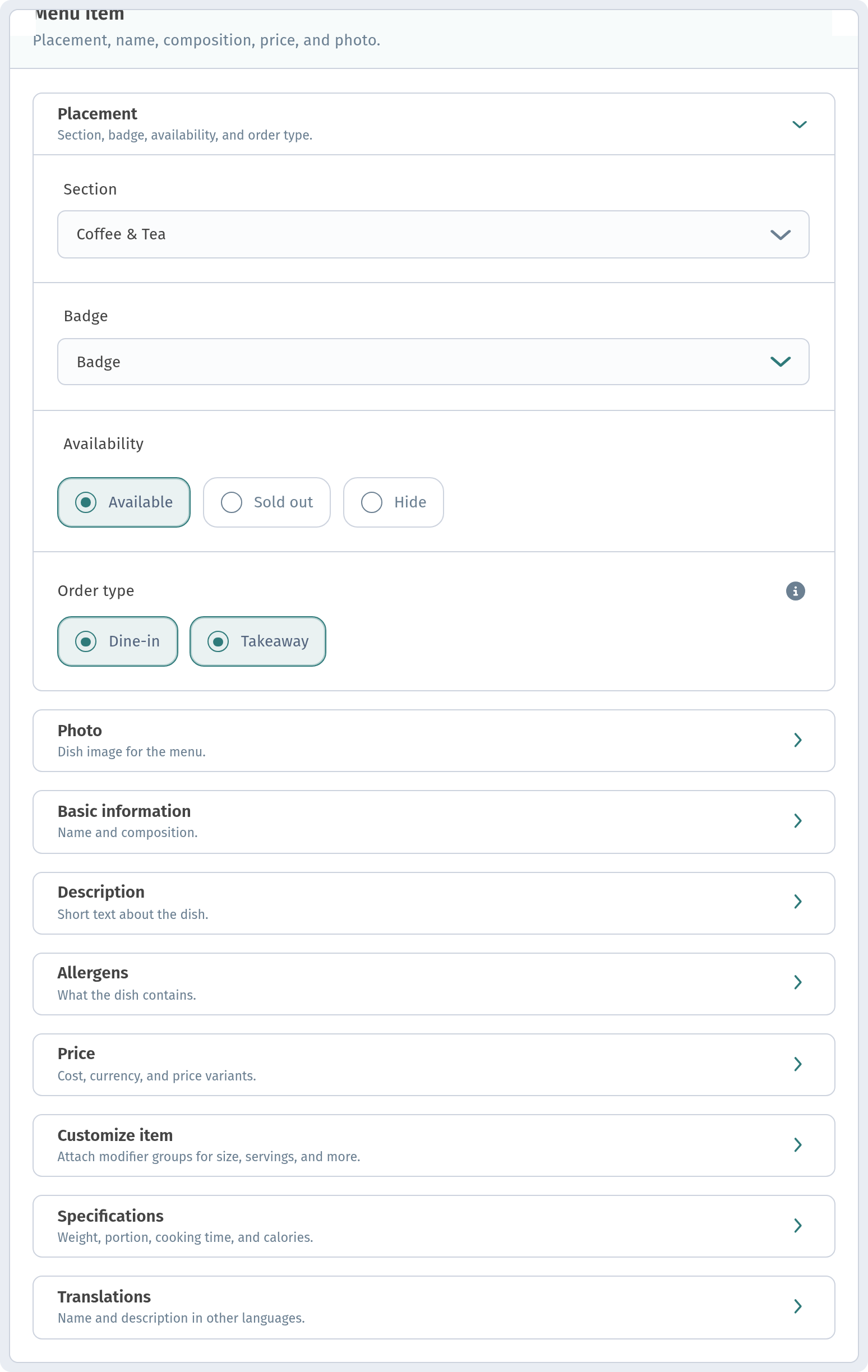
The Placement block has an Order type field: Dine-in and Takeaway, and you can choose both. For coffee, tea and pastries turn on both. A dessert served in a glass bowl or a drink in special glassware: Dine-in only.
4. One badge, one seasonal drink
Pumpkin latte in autumn, iced coffee in summer. Mark the seasonal drink with the NEW or Hit badge. Just no more than two or three per section: if everything has a badge, nobody notices them.
5. Out of croissants? Switch the availability
By lunchtime the pastries run out. Don't delete the item: in the Availability field choose Sold out, and set Available again in the morning. It takes a few seconds from your phone.
6. A quick check before opening
- Coffee and tea are the first section.
- Drinks have their sizes set up.
- What can be taken away is marked.
- Pastry availability is up to date.
More on variants, badges and availability in the dish card in The dish card: variants, allergens and badges. And for getting through the morning rush, read Peak hours: fast service.